You can request a temporary demo version of the app to test.
Follow the step-by-step instructions:
It is necessary to fill all the fields marked with the asterisk *.
1. To request the demo version and enter an application, click the avatar icon in the upper right corner.

2. Click the “Log In” button.

3. Click the Request a Demo Button.

4. Enter your First and Last Name.

5. Enter your valid Email. (It will be your User Name in the future)

6. Select your Job Title.

7. Click on the + button and enter your address.

8. Fill in the mandatory and other fields as desired and click the Create button.

9. Enter your company website.

10. Enter your phone number.

11. Select the indutry in which your company operates.

12. Enter your company name.

13. Select the number of employees.

14. Choose one option in the proposed drop down menu and please answer the question: How did you hear about us?

15. Enter an invitation referral code in the field if you have one.

16. Mark the products you are interested in.
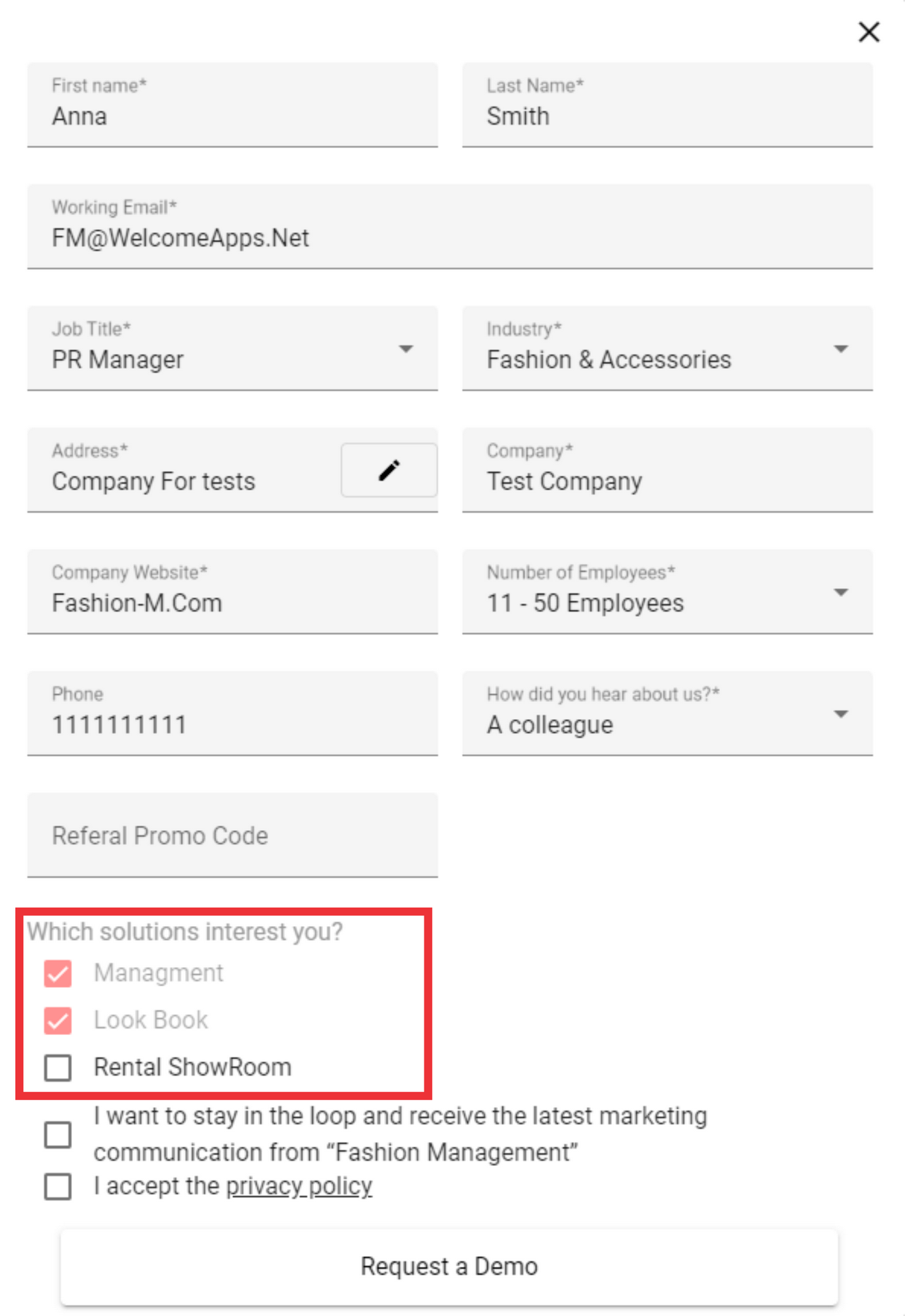
17. Mark if you want to stay in the loop and receive the latest marketing communication from “Fashion Management”.

18. Mark and accept the Privacy Policy.

19. Click the “Request a Demo” button.

20. Please check for a confirmation email to the email address you provided. (If the email does not arrive, please check the spam folder)
